Wound photo import
Check how photos and PDFs exported from another wound app match your patients and wound numbers before you move them in.
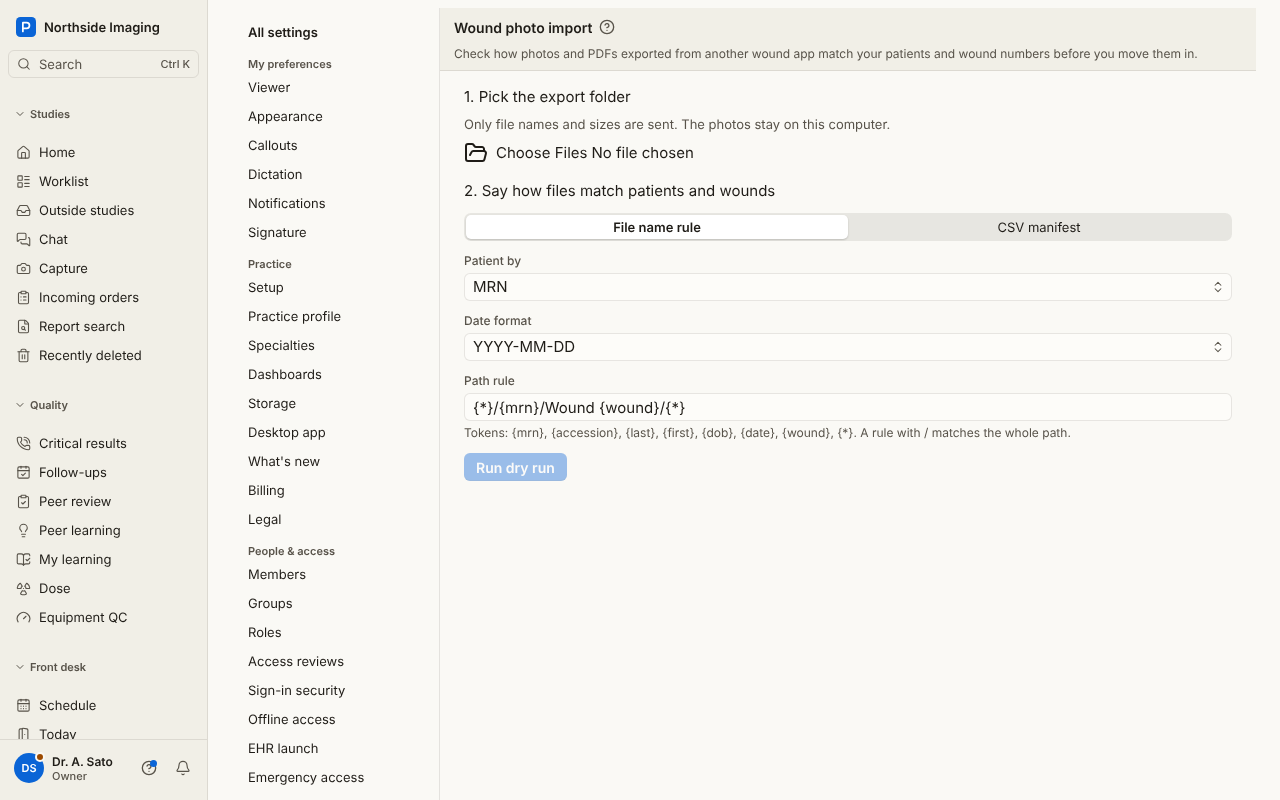
Before you move wound photos in from another wound app, the dry run shows how each file would be matched to a patient and a wound number. It is part of the Wound care pack.
What this page is for
The Wound photo import page under Settings runs a dry run on another wound app's export. You pick the export folder, and say how a file names its patient and wound, either with a rule for the path or with a CSV manifest that lists each file. The dry run counts photos and PDFs for each patient and wound, and lists the files it could not match with the reason. It files nothing.
Who can use it
Owners and admins, with the practice settings permission, while the Wound care pack is on.
How to run a dry run
- Choose Settings › Wound photo import.
- Under Pick the export folder, choose the folder. Only file names and sizes are sent. The photos stay on your computer.
-
Choose File name rule and type the path rule, for example
{*}/{mrn}/Wound {wound}/{*}for an export with a folder per patient and per wound. Or choose CSV manifest, pick the manifest and type its column names. - Choose how a file names its patient (MRN, Accession, or Last name and birth date) and the date format the export uses.
- Choose Run dry run, then check the counts and the files that did not match. Fix the rule or the manifest and run it again until the counts look right.
Fields and columns
-
Path rule tokens:
{mrn},{accession},{last},{first},{dob},{date},{wound}and{*}(anything). A rule with/matches the whole path inside the folder. A rule without/matches the file name alone. - Patient: the MRN, accession, or last name and birth date the file names.
- Wound: the wound number on the patient's record. Files with no wound number show No number.
- Photos and PDFs: the files counted for that wound.
- Why: the reason a file did not match, for example no patient matches, the patient has no wound with that number, the file is not a photo or PDF, or the manifest does not list it.
If something goes wrong
- No patient matches the file name: no study has that MRN or accession, or the name and birth date match more than one patient.
- The patient has no wound with this number: add the wound to the patient's record first, then run again.
- The path does not follow the rule: check the rule against a few file paths in the folder.
- The run is refused: one run covers at most 20,000 files and 2,000 patients, and the manifest must be at most 4 MB with the columns you named.
Related
Updated November 6, 2026. Signed in? The same article is in the app's help panel: press
?.