PFT vendor maps
Tell PacsPilot which HL7 result fields from each PFT system hold which lung function values, and test a message before switching a feed on.
What this page is for
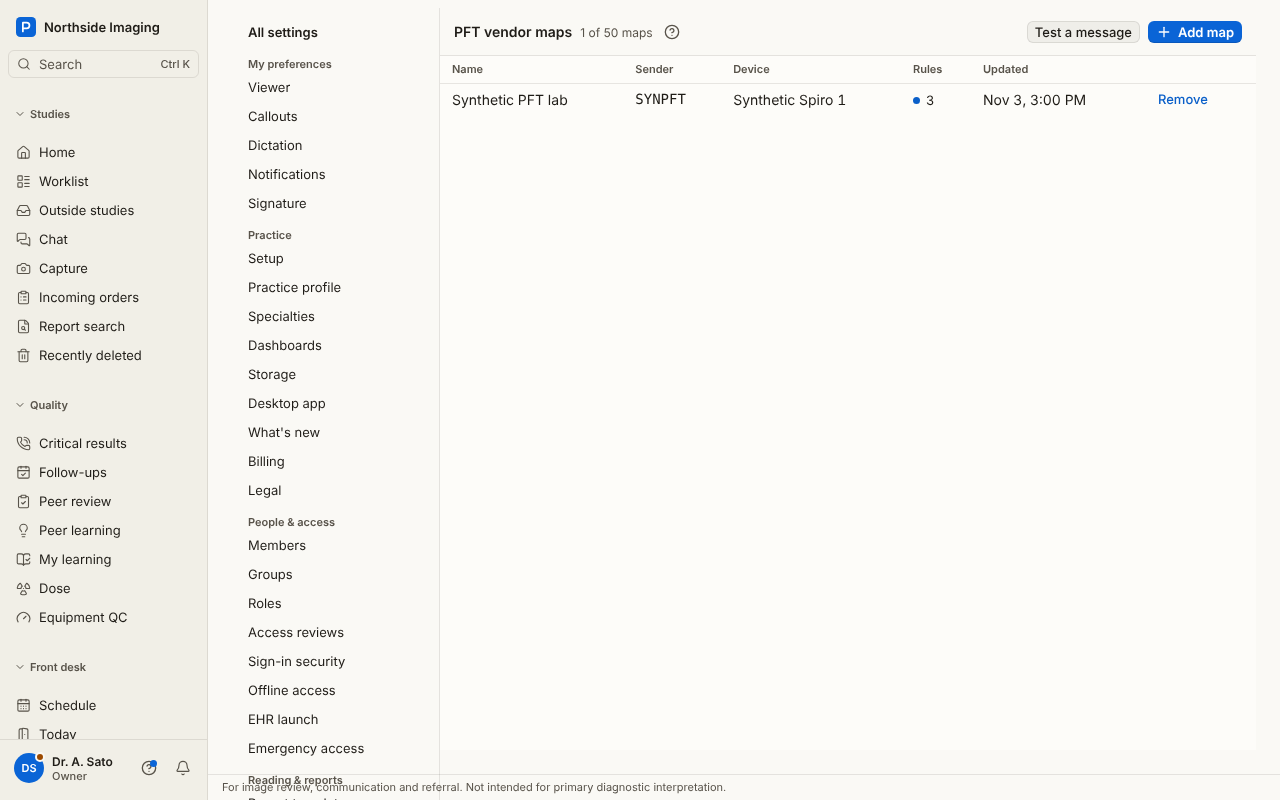
Settings › PFT vendor maps lists one map for each PFT system that sends results
over HL7. A map is matched by the message's sending application (MSH-3) and,
optionally, its sending facility (MSH-4). Its rules say which OBX holds
which measure, phase and figure. The page appears while the Pulmonology pack is
on.
Who can use it
Owners and admins.
How to add a map
-
Select Test a message and paste one
ORU^R01from the PFT system. The preview lists theOBXidentifiers no rule covers yet. It stores nothing. - Select Add map. Give it a name and the sending application, and the facility if more than one site sends from the same system.
- Name the device maker and model, and the reference equations to use when a message names none.
-
Under Rules, write one line per
OBX: the identifier, the measure code (such asfev1,fvc,fev1_fvc,tlc,dlco),preorpost, and the figure:value,predicted,pct_predicted,zorlln. For example,FEV1_PRE fev1 pre value. -
Under Equations and grades, write the
OBXthat carries the reference equations asEQ reference_set, and each test's grade as, for example,QG_SPIRO spirometry. - Select Save, then test the message again: every value should now show.
How to change or remove a map
Select a map to edit it. Select Remove to stop storing that sender's messages as PFT sessions. Sessions already stored stay.
Fields and columns
- Name: your name for the map, such as the lab or system.
- Sender: the sending application, and the facility when one is set.
- Device: the maker and model stored with every session from this sender.
- Rules: how many
OBXrules the map has. - Updated: when the map last changed.
If something goes wrong
- Two maps name the same sender: each sending application and facility can have only one map.
-
A value shows as not a number: the PFT system sent text in that
OBX; it is left out rather than guessed.
Related
- Specialties: the Lung function (PFT) results article covers how results arrive
- PFT lab
- Gateways and tokens
Updated November 4, 2026. Signed in? The same article is in the app's help panel: press
?.