GI billing map
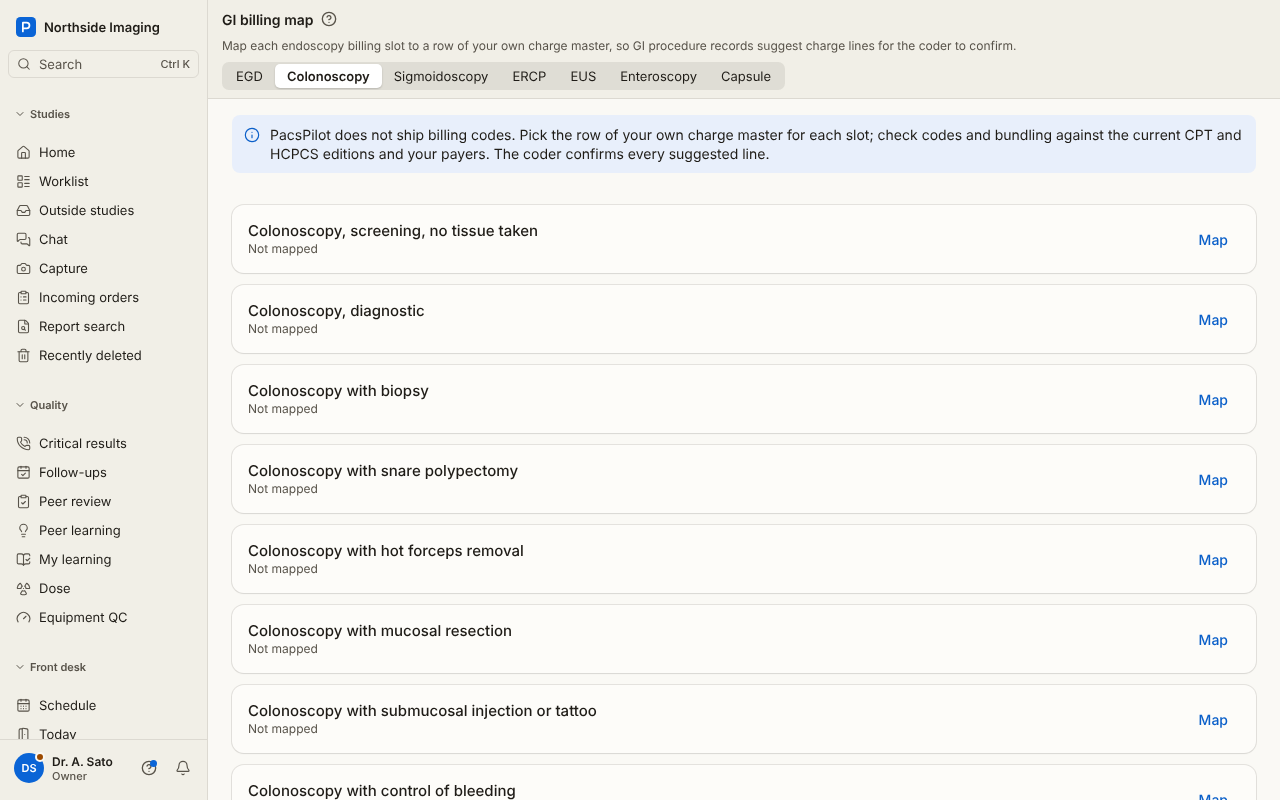
Map each endoscopy billing slot to a row of your own charge master, so GI procedure records suggest charge lines for the coder to confirm.
What this page is for
Specialties › GI billing map links what was done on an endoscopy to your own charge codes. PacsPilot does not ship CPT or HCPCS codes. Instead it lists billing _slots_, such as Colonoscopy with snare polypectomy or EGD with biopsy, and you map each slot once to a row of your charge master.
When a GI study's charges are filled and no charge rule matches the study, the slots its procedure record raises are added as lines, from the interventions on its findings (biopsy, snare, hemostasis, dilation and so on). With no intervention, the procedure's diagnostic slot is used, or the screening slot for a screening colonoscopy or sigmoidoscopy with no tissue taken. The coder confirms every line in the charge queue.
The page appears for human practices while the Endoscopy and GI pack is on and charge capture is set up.
Who can use it
Members who can see charges can read the map. Owners and admins with coding rights can change it.
How to map a slot
- Pick the procedure: EGD, Colonoscopy, Sigmoidoscopy, ERCP, EUS, Enteroscopy or Capsule.
- Press Map beside a slot, search your charge master by code or label and pick the row.
- Add any modifiers you always bill with that slot, separated by spaces.
- Under Modifiers when a screening procedure becomes diagnostic, enter the modifiers your payers want when tissue is taken on a screening colonoscopy or sigmoidoscopy.
- Press Save map.
Press Clear to unmap a slot. An unmapped slot adds no line, and the coder adds the code by hand.
Check every code, modifier and bundling rule against the current CPT and HCPCS editions and your payers' policies before you rely on the map.
Fields and columns
- Slot: a procedure with or without an intervention, in our own words.
- Charge master row: the code system, code and label of the row you mapped, or Not mapped.
- Modifiers: added to that slot's line every time.
If something goes wrong
- "Some rows are not in your charge master": a picked row was deleted. Map the slot again.
- No rows when searching: add the codes to your charge master first.
- The page is missing from the sidebar: the Endoscopy and GI pack is off, your practice is veterinary, or your role cannot see charges.
Related
Updated November 6, 2026. Signed in? The same article is in the app's help panel: press
?.