Sign in to your patient portal
How to sign in to your patient portal with a link we email you, or with a passkey, and how to accept the terms of use.
What this page is for
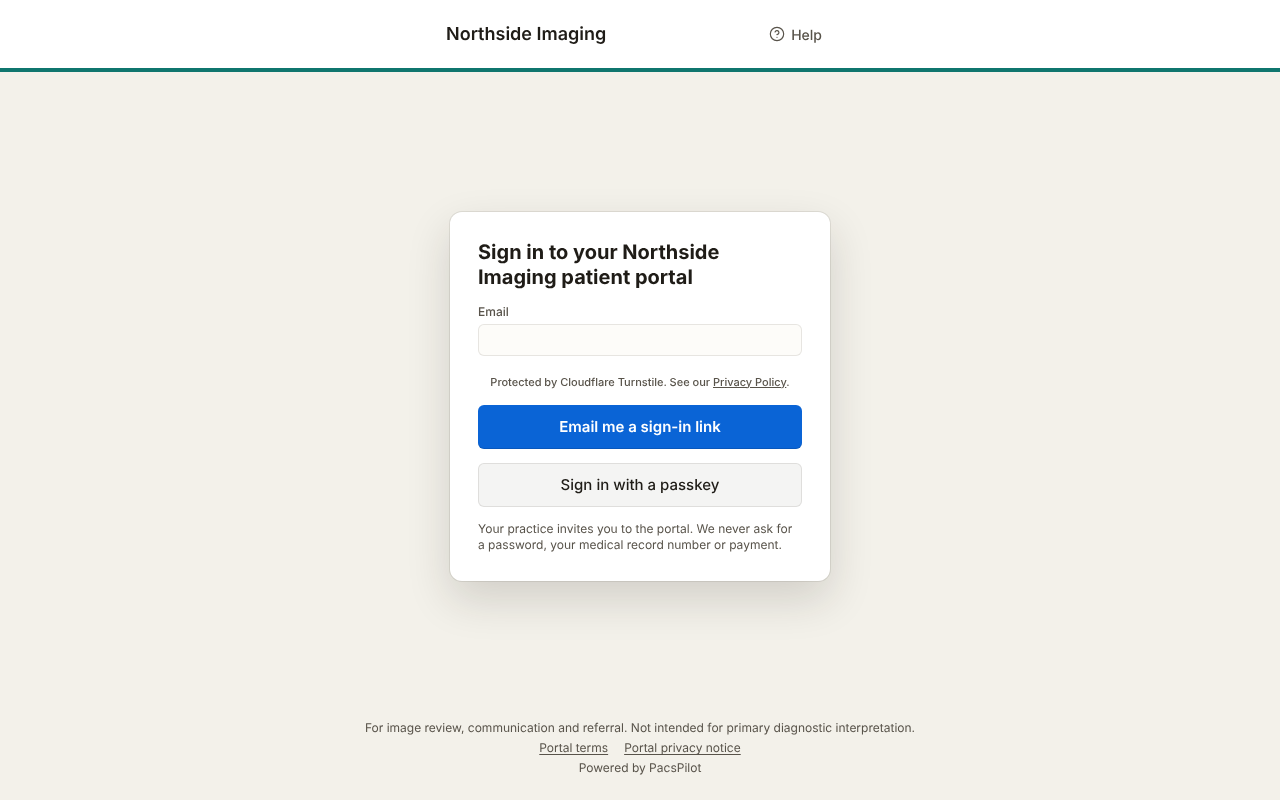
This page lets you sign in to your practice's patient portal. There is no password. We email you a sign-in link, and you confirm your date of birth. If you added a passkey, you can use it instead.
We never ask for a password, your medical record number or payment.
Who can use it
You can sign in if your practice invited you to its patient portal. The invite goes to the email your practice has for you. If you did not get one, ask your practice.
How to sign in with an email link
- Type your Email.
- Wait a moment while we check that you are not a robot. The button turns on when the check is done.
- Choose Email me a sign-in link.
- Open the email and tap or click the link. The link works once, for 15 minutes.
- Type your date of birth as numbers and choose Continue.
How to sign in with a passkey
- Choose Sign in with a passkey.
- Use your phone's or computer's screen lock, such as your face, finger or PIN.
You can add a passkey on the Your account page.
How to accept the terms of use
The first time you sign in, and when the terms change, you see Patient portal terms of use.
- Choose Read the terms of use to read them.
- Choose I accept to go on to your results.
Fields and columns
| Name | What it means |
|---|---|
| The email your practice has for you. | |
| Robot check | A short check that runs by itself. The button turns on when it is done. |
| Month, Day, Year | Your date of birth, as numbers. We use it to check that it is you. |
| Terms of use | The rules for using the portal. You accept them once, and again when they change. |
If something goes wrong
- Check your email, but no email came. Look in your spam folder. Make sure you typed the email your practice has for you. Then choose Use a different email to try again.
- This link no longer works. Sign-in links work once and expire. Choose Get a new link.
- Enter your date of birth as numbers. Type the month, day and year with numbers only.
- Sign-in is paused. There were too many tries with the wrong date of birth. Wait 30 minutes. If this was not you, call your practice.
- Too many tries. Wait a minute. Wait, then try again.
- That passkey did not work here. Use your email instead.
Related
Updated October 19, 2026. Signed in? The same article is in the app's help panel: press
?.