Trauma aliases
Hand out an alias name and MRN to an unidentified patient in one step, and reconcile it to the real record later.
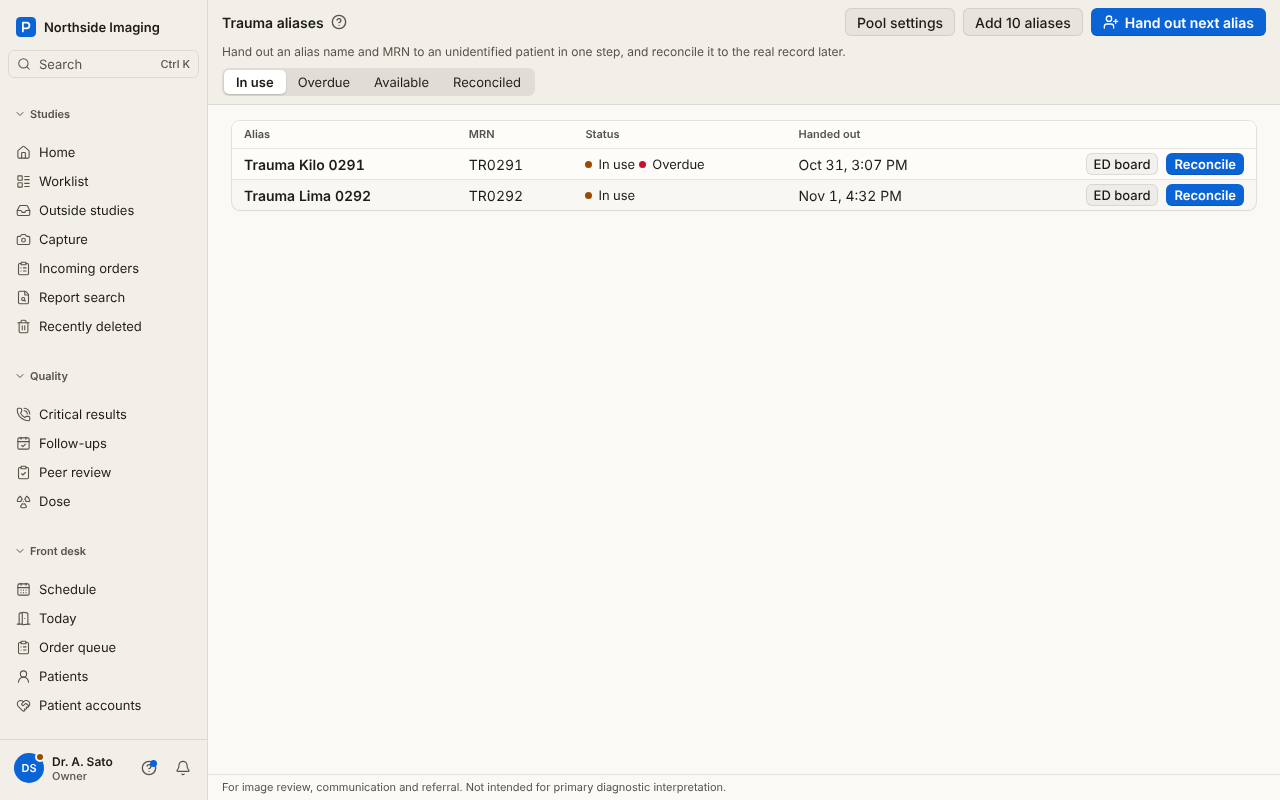
What this page is for
When a patient arrives unnamed, for example after a car crash, they need a name and MRN at once so imaging can start. Specialties › Trauma aliases keeps a pool of ready-made alias identities for that, such as Trauma Kilo 0291 with MRN TR0291 and a fixed placeholder date of birth. Use it only if your EHR does not assign aliases itself.
The page appears for owners, admins and technologists while the Emergency and operating room pack is on under Settings › Specialties.
Who can use it
Owners, admins and technologists can hand out and reconcile aliases; reconciling also needs the right to correct studies. Owners and admins change the pool settings. Members limited to a visibility group cannot open the page, because aliases belong to the whole department. Every alias handed out, retired and reconciled is in the audit log.
How to hand out an alias
- Select Hand out next alias, or Hand out on an alias in the Available list.
- Enter the area and bed if you know them, then select Hand out.
The patient appears on the ED board under the alias. Register the patient and order their imaging with the same name and MRN, so the scanner picks the alias up from the worklist.
How to reconcile an alias
When the patient is identified, open In use, select Reconcile and enter the real MRN and a reason. Add the patient's name, date of birth and sex if nothing is filed under that MRN yet. PacsPilot then:
- moves the alias's studies, orders and ED visit to the real patient,
- sends the studies again with the corrected patient details,
- keeps the alias on record as a former identity, with who reconciled it and when.
If your EHR sends a patient merge (HL7 A40) that names the alias MRN, the alias is reconciled the same way without anyone opening this page; it shows (EHR merge) under Reconciled.
Aliases in use longer than your reconcile time (24 hours unless you change it) show under Overdue.
Pool settings
Owners and admins select Pool settings to set:
- PacsPilot pool or EHR assigns. With EHR assigns, PacsPilot hands out no aliases: they arrive with your ADT feed, so one patient never has two names.
-
The family name (for example
TRAUMA) and the MRN prefix and number range aliases are made from. PacsPilot skips any MRN a patient in your practice already has. - The assigning authority written with the MRN, if your EHR uses one.
- After how many hours an alias in use counts as overdue.
Add 10 aliases fills the pool from the range. A notice shows when fewer than five are left.
Fields and columns
- Alias: the alias name, such as Trauma Kilo 0291.
- MRN: the alias MRN to use for registration and orders.
- Status: Available, In use or Reconciled, with Overdue for aliases in use past your reconcile time.
- Handed out or Reconciled: when it happened, and for reconciled aliases the real MRN and whether an EHR merge did it.
If something goes wrong
- "No unused number is left in the alias MRN range": widen the range under Pool settings.
- "Nothing is filed under this patient yet; give the patient's name": the real MRN is new to PacsPilot, so enter the patient's name (and date of birth and sex if known).
- "Your EHR assigns trauma aliases": the pool is set to EHR assigns; aliases come from your ADT feed instead.
- The page is missing from the sidebar: the Emergency and operating room pack is off under Settings › Specialties, or your role cannot hand out aliases.
Related
Updated November 1, 2026. Signed in? The same article is in the app's help panel: press
?.