ED board
Every patient in the emergency department with their imaging, a status for each order, time since order, STAT clocks and what is new since you last looked.
What this page is for
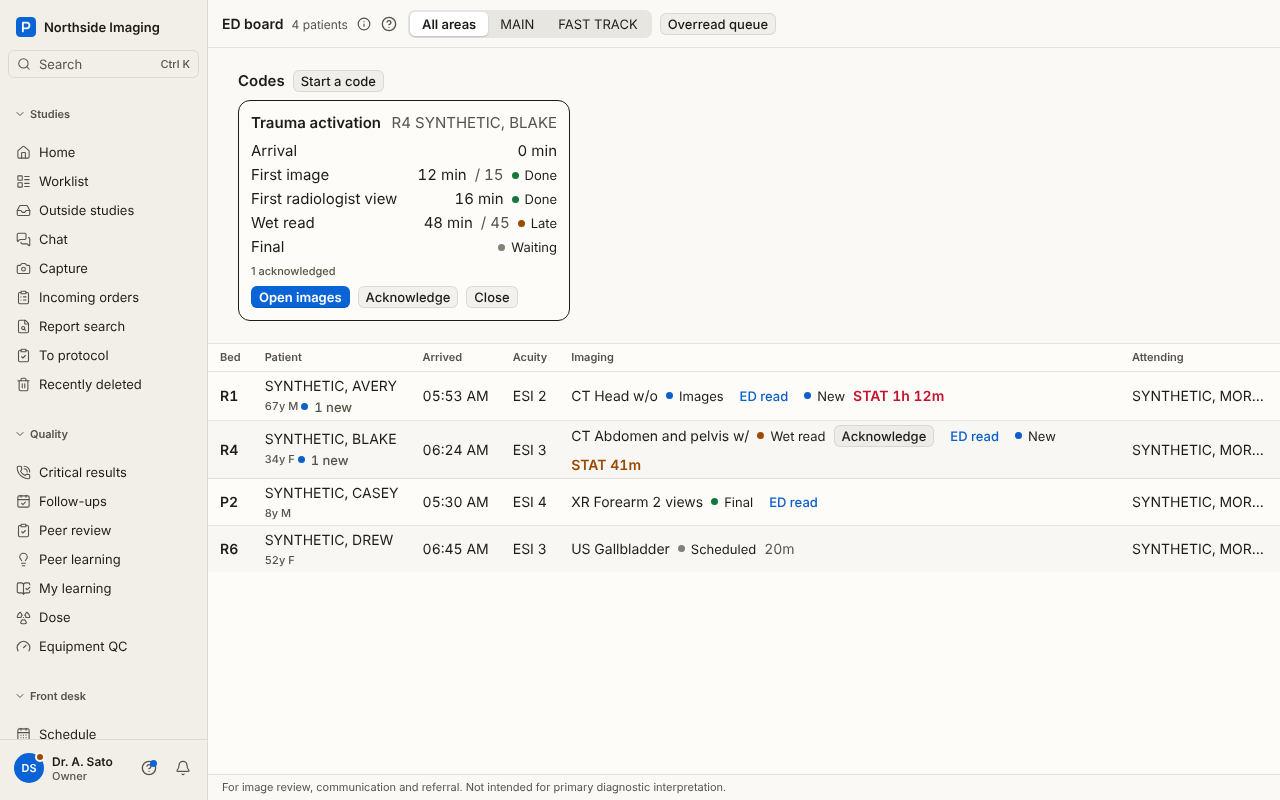
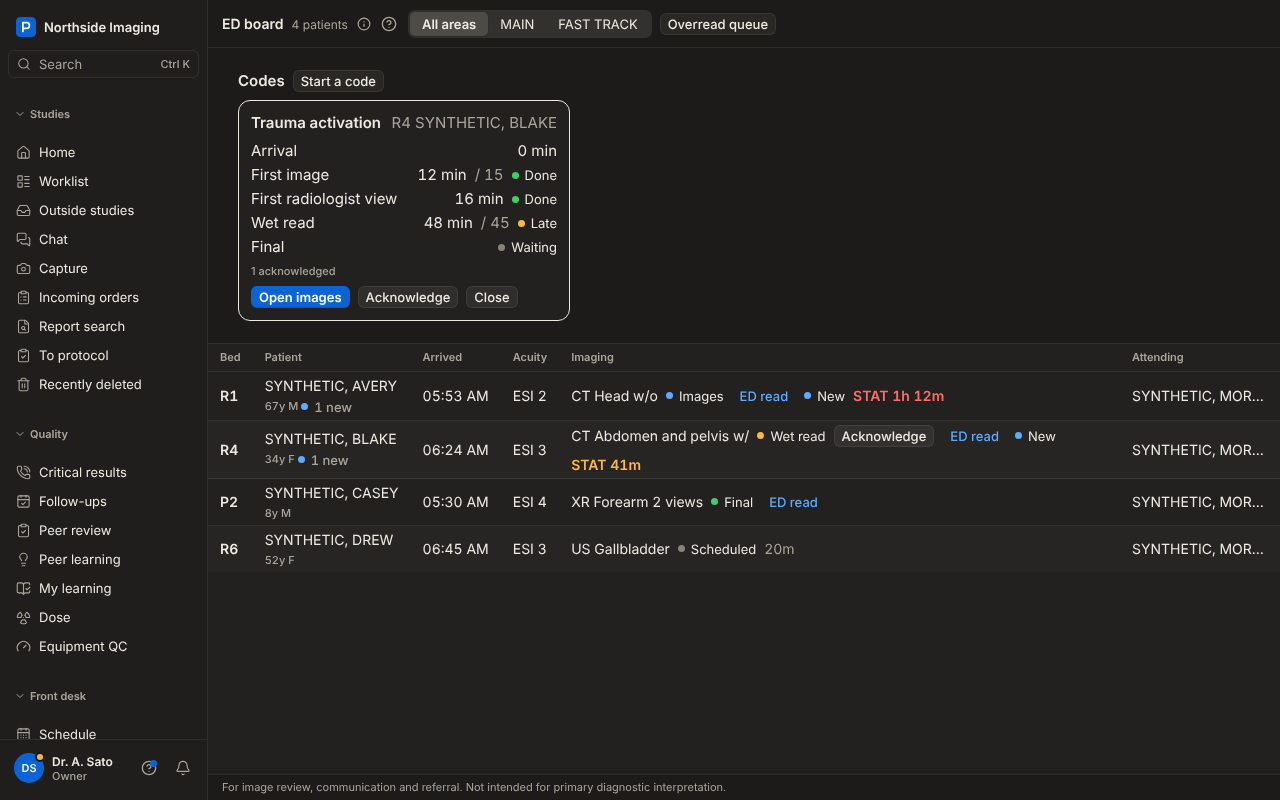
Specialties › ED board shows one row per patient visit in the emergency department: the bed, the patient's name, age and sex, when they arrived, their acuity, the attending, and each imaging order with its status:
- Ordered or Scheduled: no images yet.
- Images: the images have arrived.
- Wet read: a preliminary report is signed.
- Final: the final report is signed.
Each order shows the time since it was placed. A STAT order's time turns amber and then red when it passes your practice's limits (30 and 60 minutes unless you change them) and stops once the final report is signed. The worst clocks are listed first, then patients by bed.
The page appears while the Emergency and operating room pack is on under Settings › Specialties.
Where the patients come from
- Your ADT feed. When your hospital sends HL7 ADT messages to your HL7 interface, a registration (A04) or admission (A01) with patient class E opens a visit with its bed, arrival time and attending. Updates (A08) and transfers (A02) change it, a discharge (A03) or a cancelled registration (A11) takes the patient off the board, and a patient merge (A40) moves the visit to the surviving patient. Patients show even before any imaging is ordered.
- Orders. If you have no ADT feed, an imaging order whose visit section says emergency opens the visit.
-
By hand. Owners, admins and technologists can add a visit through the API
(
POST /v1/encounters).
Orders join a visit by its visit number. An order without one joins the patient's visit when it was placed within a day of arrival. Studies join through their order, or by patient when they arrived during the visit.
Codes
Above the board, Codes shows a card for each running Stroke code, Trauma activation or STEMI. Select Start a code, pick the code and the patient and, for a stroke code, the last known well time. Each card shows, in minutes from arrival, when the first image arrived, when a radiologist first opened it, and when the wet read and final were signed. Steps turn Late or Overdue only against targets your practice sets; PacsPilot ships none. Members of the code team set for that kind of code are alerted when the code starts and when its first images are ready, and Acknowledge records that they saw it. Open images opens the patient's studies; Close ends the code. Code timers are off for veterinary practices unless turned on.
AI triage
When your practice connects FDA-cleared triage software through AI apps (for example large vessel occlusion, intracranial haemorrhage or pulmonary embolism detection), a positive result that raises a study to high or critical priority shows an AI triage tag on the study and moves the patient's row to the top of the board until the study is final. If a code is running for that patient, the code team is alerted that AI flagged the study. These are AI results, not reads: open the images. PacsPilot does not make its own triage AI.
Who can use it
Members who can see studies can open the board. Members limited to a visibility group cannot, because the board lists the whole department. Every change to a visit is in the audit log.
How to use it
- When you have more than one area (for example main, fast track, paediatrics), pick an area or All areas.
- A New tag marks images, wet reads and finals that arrived since you last opened that patient, and the patient's row shows how many.
- Select a row to open the patient's studies in the viewer. This also clears their New tags for you; other doctors still see theirs.
The board updates by itself within seconds when images or reports arrive, and refreshes its clocks every 30 seconds.
Fields and columns
- Bed: room and bed from the visit, or the area when no bed is sent.
- Patient: name, age and sex, with the number of new items.
- Arrived: the visit's arrival time.
- Acuity: the triage level (ESI) when your feed sends one or it was set by hand.
- Imaging: each order or study with its status, a New tag, an AI triage tag when AI raised it, and the time since order.
- Attending: the visit's attending doctor.
During an internet outage
When your practice has Offline access on and this computer opened the board before the outage, the board stays on screen. A yellow Downtime banner shows the time it was saved; it is read-only until the connection is back, so Acknowledge and Start a code are hidden. Selecting a patient still opens their images from the PacsPilot Box on your network, or from this computer, when they are kept there. A PacsPilot Box keeps the images taken on site, and within a minute or two of a patient's ED arrival it also fetches their earlier studies, so priors are there for an outage too (sensitive studies are left off the box). ED reads you write meanwhile are saved on this computer and sent when the connection returns (see the ED interpretation article).
If something goes wrong
- A patient is missing: your ADT feed has not sent their registration, or it sends a patient class other than E. Orders with an emergency visit also open the visit.
- An order is on the wrong patient or missing: it has no visit number and was placed more than a day before arrival, or under another patient ID.
- "Not available to group members": you are limited to a visibility group; ask an admin.
- The page is missing from the sidebar: the Emergency and operating room pack is off under Settings › Specialties.
Related
Updated November 1, 2026. Signed in? The same article is in the app's help panel: press
?.