Your account
Your patient portal settings. Choose when we email you, wait before you see new reports, add a passkey and see your recent activity.
What this page is for
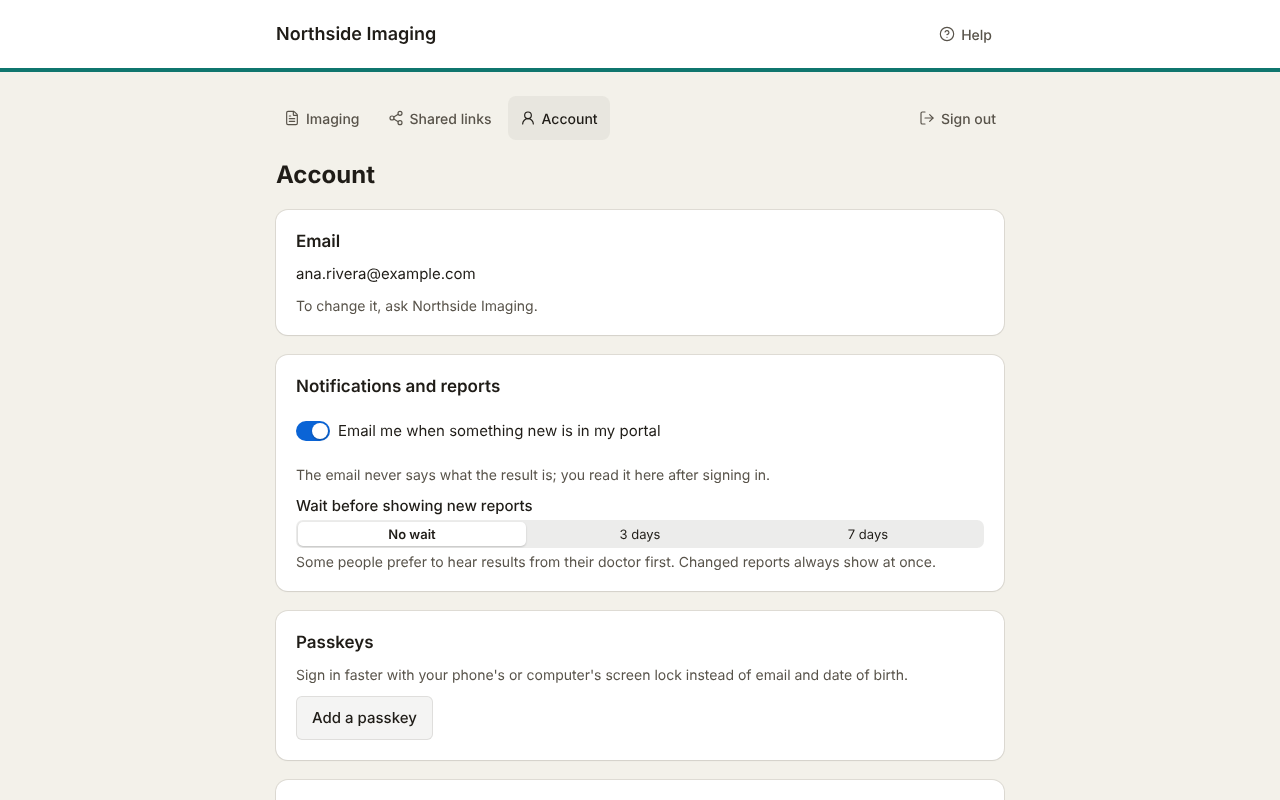
This page holds your portal settings. Here you choose if we email you when something new is ready. You can also choose to wait a few days before new reports show, so you can hear the news from your doctor first.
You can add a passkey to sign in faster, and see what was done in your portal in the last 90 days.
Who can use it
You can use it if your practice invited you to its patient portal.
How to choose your emails
- Find Notifications and reports.
- Turn Email me when something new is in my portal on or off.
The email never says what the result is. You read it here after you sign in.
How to wait before you see new reports
- Find Wait before showing new reports.
- Choose No wait, 3 days or 7 days.
Some people like to hear results from their doctor first. A report that was changed always shows at once.
How to add a passkey
A passkey lets you sign in with your phone's or computer's screen lock, such as your face, finger or PIN. Then you do not need your email and date of birth each time.
- Find Passkeys.
- Choose Add a passkey.
- Follow the steps on your phone or computer.
To take a passkey off, choose Remove next to it and confirm. You can still sign in with your email and date of birth.
Fields and columns
| Name | What it means |
|---|---|
| The email your portal uses. To change it, ask your practice. | |
| Email me when something new is in my portal | We send you an email when a new result is ready. |
| Wait before showing new reports | How long to wait before a new report shows. |
| Passkeys | The passkeys you added, when you added them and when you last used them. |
| Recent activity | What was done in your portal in the last 90 days, such as sign-ins, shares and downloads. |
If something goes wrong
- That change was not saved. Try again.
- Your settings could not be loaded. Check your internet, then choose Try again.
- The passkey was not added. Try again. If it asks you to sign in again, sign out, sign in, then add the passkey within 10 minutes.
- You do not see Passkeys. Your phone or computer does not support them. You can still sign in with your email.
- You see activity you do not know. Call your practice right away.
Related
Updated October 19, 2026. Signed in? The same article is in the app's help panel: press
?.