Procedure registries, codes and quality
Registry worksheets filled from IR and cath lab cases with CSV export, codes proposed for a coder to confirm, and the quality dashboard.
What this page is for
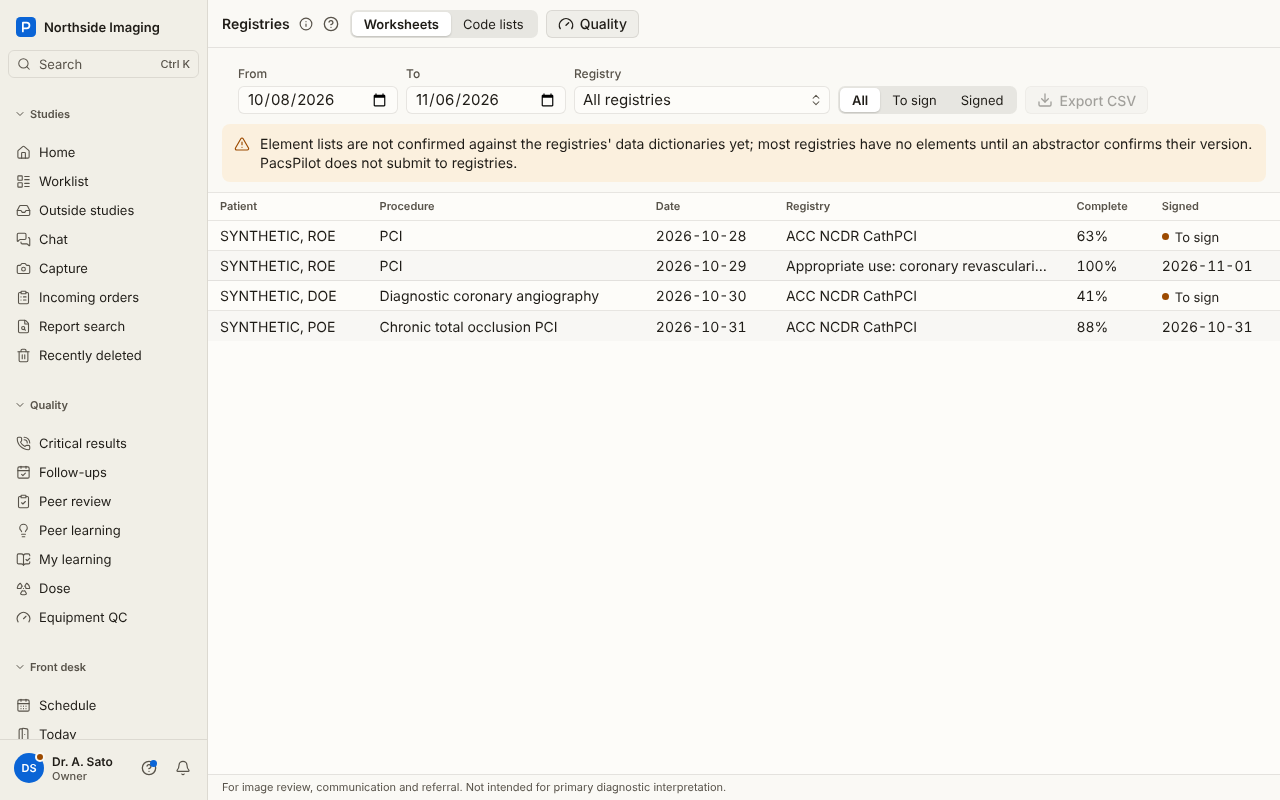
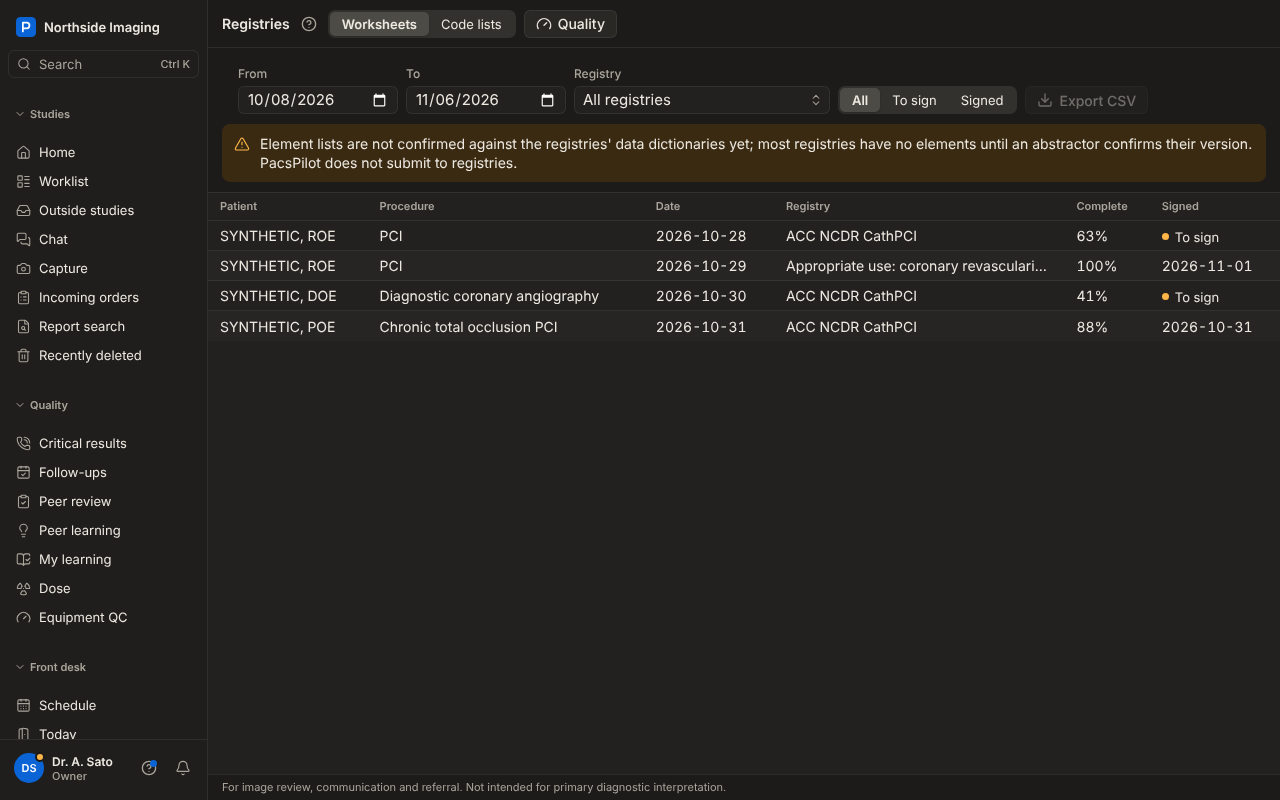
Procedure registries is where an abstractor works through the registry worksheets of interventional radiology and cath lab cases. Each case shows the registries it belongs in, how complete each worksheet is and whether it is signed. A worksheet starts from what the case already holds, such as the procedure, the operator and the dose totals, so the abstractor types only what is missing and exports a CSV file for the registry's own submission tool. PacsPilot does not submit to registries.
The page appears while the Interventional radiology or Cath lab pack is on under Settings › Specialties. Veterinary practices do not get human registries or procedure codes.
What the element lists are
- ACC NCDR CathPCI: the elements of the CathPCI submission map published in the HL7 registry protocols guide (version 5.0 as mapped there). The list is not confirmed against the registry's own data dictionary; check it before you submit.
- Chest Pain - MI, EP Device Implant, LAAO, STS/ACC TVT, peripheral vascular and the IR registry have no elements yet. Their lists are added once an abstractor confirms each registry's current version.
- Appropriate use: coronary revascularization holds PacsPilot's own fields: the presentation, symptoms, therapy, test results and anatomy, the AUC document used and the category the operator documented. PacsPilot records the category; it never computes an appropriateness rating.
Who can use it
Owners and admins, and members whose custom role includes registry abstraction, open worksheets, save and sign them, and export. Owners and admins, and members whose custom role includes procedure coding, sign the code lists and confirm charges. Members limited to a group do not see this page. Every worksheet opened, saved, signed or exported is in the audit log.
How to complete a worksheet
- Pick the date range, and a registry if you want one only. To sign shows the worksheets still waiting.
- Open a row. Values from the case show as hints; type a value to replace one. Missing only shows the required elements still empty.
- Press Save, then Sign. Any later change clears the signature, so you sign what is there now.
- Pick the registry and press Export CSV. The file has one row per case and one column per element, and is made for the registry's submission tool.
You can also open a case's worksheets from the case page, under Registries.
Codes and charges
Under Code lists, a coder checks PacsPilot's list of procedure codes for the year against the CPT codebook and signs it. The list uses plain-language labels and notes which codes were checked against a public source. Until the year's list is signed, coding assist stays off.
On the case page, under Charges:
- Tick what was done (for example coronary angiography and left heart), add each treated vessel with its technique, and add moderate sedation minutes and whether the patient is 5 or older.
- Press Save and propose codes. PacsPilot proposes codes with the reason for each, and notes anything a person must decide, such as modifiers for a second vessel.
- Check the codes, change or add any, and press Confirm codes. Nothing proposed is used until a person confirms it, and changing the facts clears the confirmation.
Quality dashboard
Press Quality for the last 30 days, 90 days or year: case volumes by operator and procedure, median dose by procedure and operator from the dose reports on each case, the IVC filter retrieval rate, and registry completeness. Door-to-balloon times, complications and contrast use are added when the case log records them.
Fields and columns
- Patient: from the case.
- Procedure and Date: the case's procedure type and scheduled date.
- Registry: the registry the worksheet is for.
- Complete: required elements filled, typed or from the case; No elements when the registry's list is not confirmed yet.
- Signed: the date the abstractor signed, or To sign.
If something goes wrong
- "is not an element of" or "must be one of": the value does not fit the registry's list; pick from the list shown.
- "Save the worksheet before signing it": press Save first.
- "Coding assist is off": nobody has signed the year's code list yet. A coder signs it under Code lists.
- "was deleted for 2026": the code was removed from that year's codebook; choose its replacement.
- "It changed since you opened it": someone else saved first. Close and open it again.
- The page is missing from the sidebar: both the Interventional radiology and Cath lab packs are off, your role does not include registry abstraction, or your access is limited to a group.
Related
Updated November 2, 2026. Signed in? The same article is in the app's help panel: press
?.