Accept an invitation to see someone's records
Someone invited you to see some of their records in a patient portal. Confirm your own date of birth to accept.
What this page is for
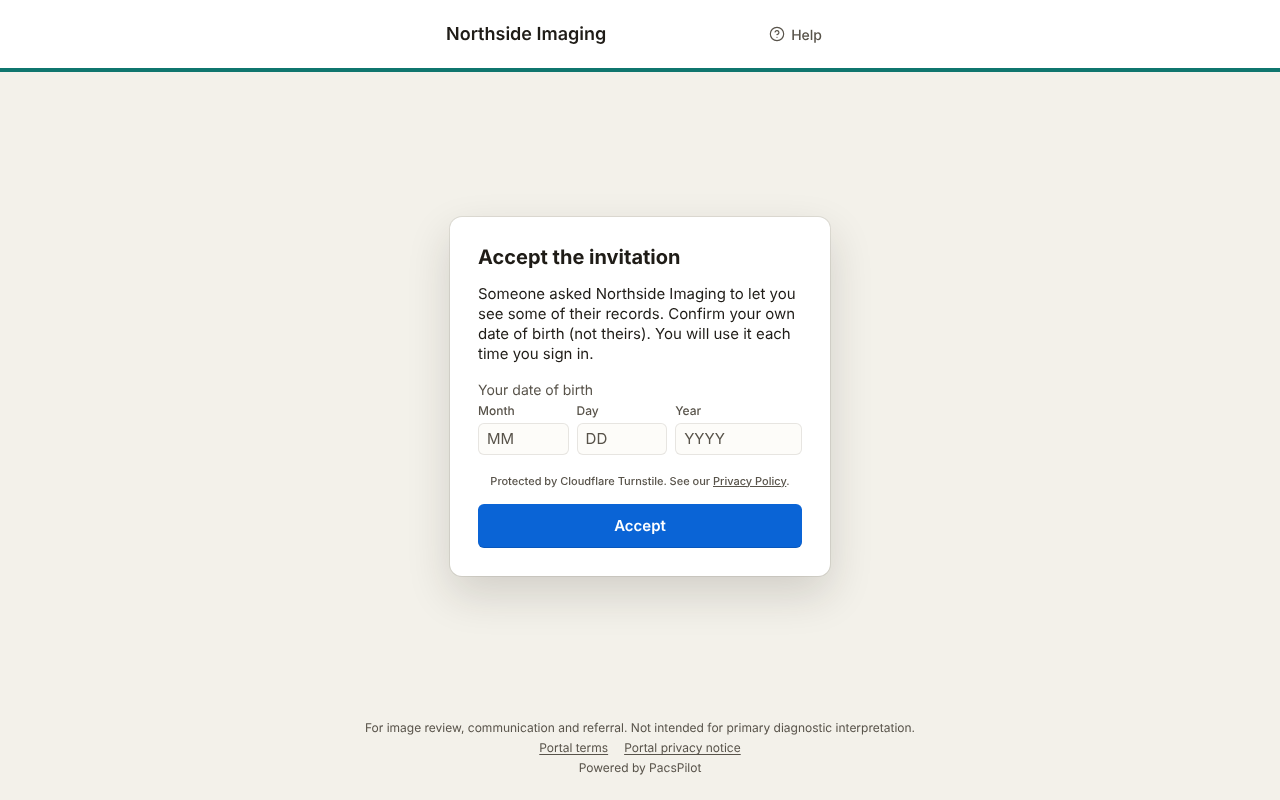
A patient, or their practice, invited you to see some of their records, for example as their caregiver or parent. This page accepts the invitation.
Who can use it
You can use it if you got an invitation email from the practice. The link works once and for 7 days.
How to accept
- Open the link in the email.
- Type your own date of birth, not the patient's.
- Choose Accept.
You use your own date of birth every time you sign in. After you sign in, choose whose records you want to see at the top of the page. A coloured bar shows whose records you are looking at.
Fields and columns
| Name | What it means |
|---|---|
| Date of birth | Your own date of birth. You use it each time you sign in. |
| Accept | Accepts the invitation and signs you in to the portal. |
If something goes wrong
- The invitation no longer works. Ask the person who invited you to send a new one.
- Your date of birth did not match. If you are also a patient at this practice, use the date of birth they have for you. After 5 wrong tries the portal pauses for 30 minutes.
- You see "waiting for approval". The practice checks each invitation first. We email you when you can see the records.
Related
Updated November 3, 2026. Signed in? The same article is in the app's help panel: press
?.