Report search
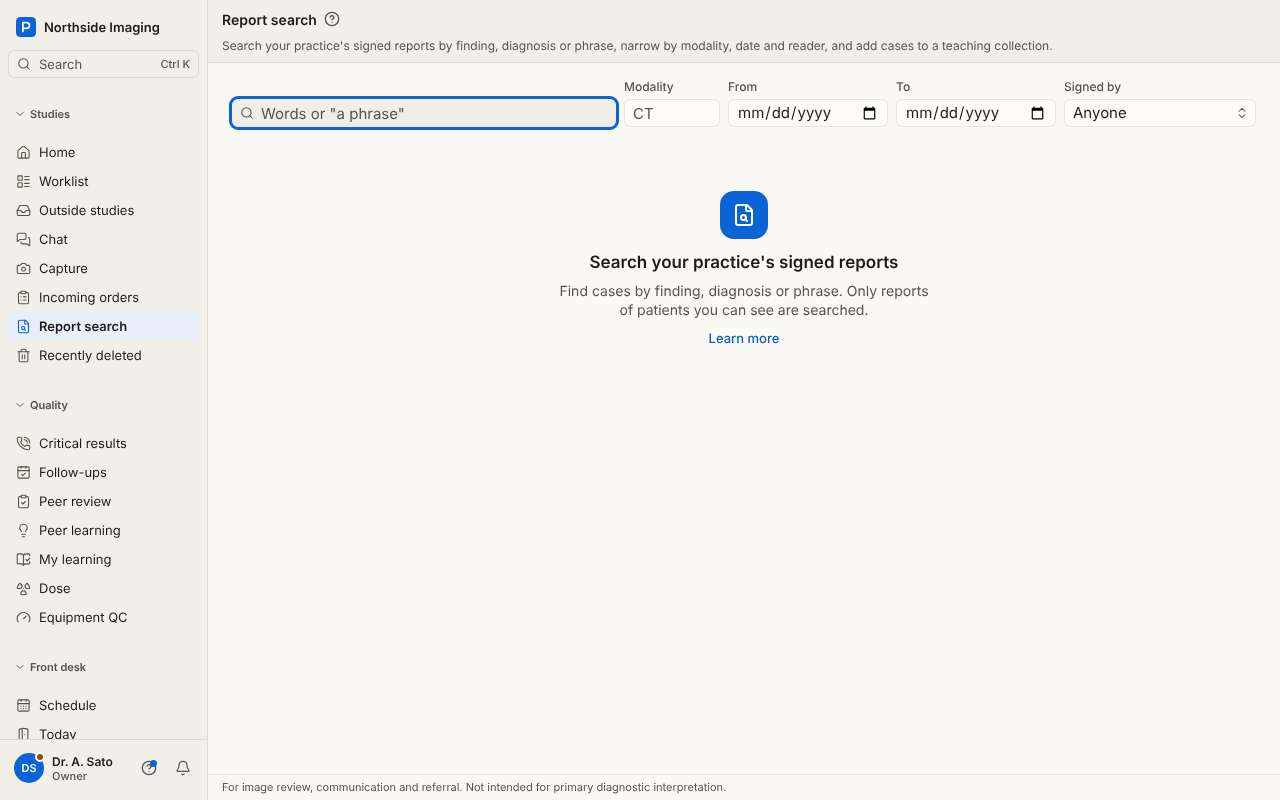
Search your practice's signed reports by finding, diagnosis or phrase, narrow by modality, date and reader, and add cases to a teaching collection.
What this page is for
Studies › Report search searches the text of your practice's signed reports. Use it to find earlier cases with the same finding or diagnosis, for teaching or to compare. Each result shows the patient, the study and a few lines of the report with your words highlighted. Press the patient's name to open the report.
The report page also shows Similar cases once a report is signed: up to eight signed reports of other patients whose impression reads like this one.
Who can use it
Members who can view studies can search. Results only include reports of patients you can see. Members of a reading group only find reports of the patients their group can see.
The page and Similar cases only show while an owner or admin has turned on report search for the practice.
How to search
- Type words in Search signed reports. Every word must appear in the report. Endings are matched too, so _nodule_ also finds _nodules_.
-
Put words in quotes to find an exact phrase, such as
"ground glass". -
Put a minus sign before a word to leave out reports that contain it, such as
-benign. - Narrow the results with Modality, From, To and Signed by if you want.
- Press Show more at the end of the list to see more results.
A very common word, such as _normal_, ranks only the newest 2,000 reports that contain it, and the page says so. Add more words or a date range to search further back.
Only the latest signed version of each report is searched. An amendment replaces the earlier text in the results. Studies that are deleted or purged leave the results.
How to add a case to teaching
While research is on, press Add to teaching on a result, or on Similar cases on the report page, and pick a collection. Collections are on the Teaching page.
Privacy
Each search is recorded in the audit log with the number of results and the filters used, never the words you searched for. Each report you open is recorded as usual.
If something goes wrong
- The page is missing from the sidebar: an owner or admin turns on report search for the practice.
- No signed reports match: try fewer filters, other words or a shorter phrase. Unsigned drafts are not searched.
- Could not search the reports: press Retry.
- A report you expect is missing: you may not be able to see that patient, or the study was deleted.
Fields and columns
| Name | What it means |
|---|---|
| Search signed reports | Words or phrases to find, up to 200 characters. |
| Modality | Only studies with this modality, such as CT or MR. |
| From, To | Only studies performed in this date range. |
| Signed by | Only reports signed by this reader. |
| Signed by … · date | Who signed the report shown and when. Amendments are numbered. |
Related
Updated October 22, 2026. Signed in? The same article is in the app's help panel: press
?.