Overread queue
Every final report that differs from the wet read or from the ED doctor's own read, with where the patient is now, calls and letters, and a due time.
What this page is for
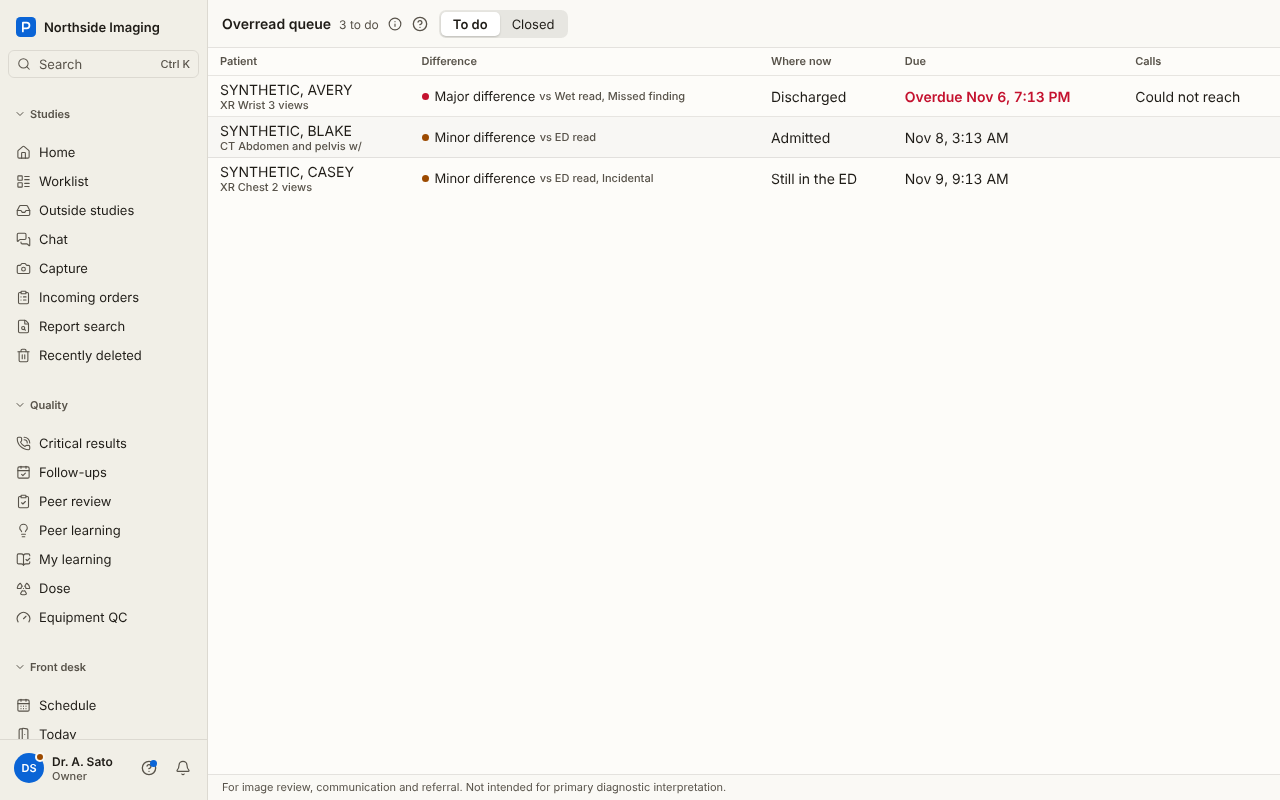
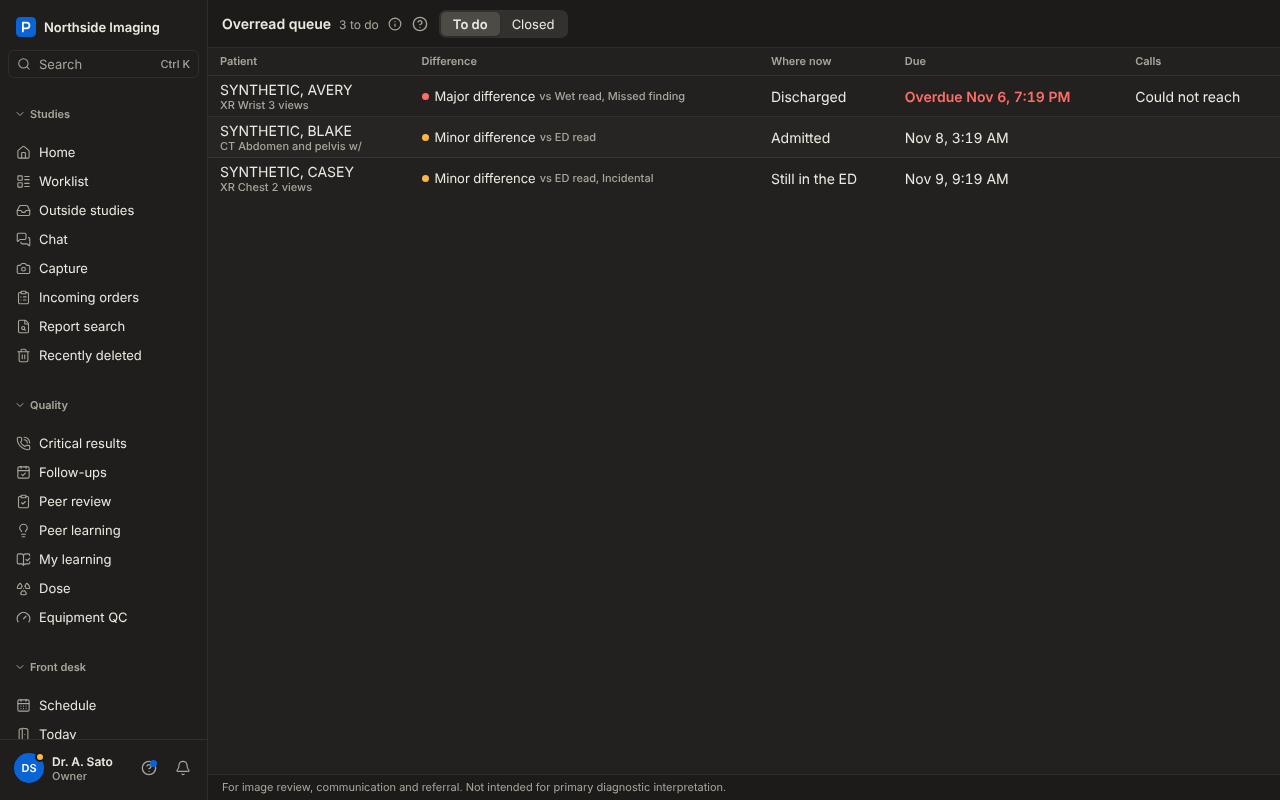
Specialties › Overread queue lists each study whose final report differs from the read the emergency department acted on: the radiologist's wet read, or the ED doctor's own interpretation. For each one you see the patient, the study, how big the difference is, where the patient is now and when the follow-up is due. A major difference is due in 24 hours, a minor one in 72.
The page appears while the Emergency and operating room pack is on under Settings › Specialties.
Where the items come from
- Wet reads. When a radiologist signs the final after a preliminary and marks it Minor or Major, an item opens here.
- ED reads. On an ED read, a radiologist with permission to sign reports can open Compare with your final and mark Agree, Minor difference or Major difference, with the kind of difference: missed finding, overcall, different finding or incidental. A difference opens an item; a later Agree closes it.
- Amendments. When a final is amended, its closed items open again and show Reopened.
A major difference on a patient who has left the ED also raises a critical result, so the
acknowledgement and escalation of Critical results apply. Each item opening or
reopening sends the ed.overread_difference webhook.
Who can use it
Owners, admins and physicians can work the queue. Each item shows only for studies you can see. Every call, change and close is in the audit log.
How to use it
- Pick To do or Closed.
- Select an item to see the radiologist's note and open the images or the final report.
- Record each call or letter under Call or letter: reached the patient, left a message, could not reach, or letter sent. After three tries without an answer, the item suggests a letter.
- Pick the Kind of difference and say what was done, then press Close item.
On the ED board, a study with a wet read shows Acknowledge: press it once you have seen the wet read, and the board shows Seen. A study with an open item shows Difference.
Fields and columns
- Patient: name and study.
- Difference: minor or major, what it was compared with (wet read or ED read) and its kind.
- Where now: still in the ED, admitted or discharged, from the patient's visit.
- Due: when the follow-up is due; overdue items are marked. Closed items show when they were closed.
- Calls: the latest call or letter.
If something goes wrong
- "Pick what kind of difference this was before closing": choose a kind of difference first.
- "Sign the final report before reconciling": the final is not signed yet.
- "This study has no signed ED read": sign the ED read first, or compare with the wet read instead.
- Where now says Unknown: the study is not on a visit. Visits come from your ADT feed or from orders.
- The page is missing from the sidebar: the Emergency and operating room pack is off, or you do not have permission to work the queue.
Related
Updated November 1, 2026. Signed in? The same article is in the app's help panel: press
?.